

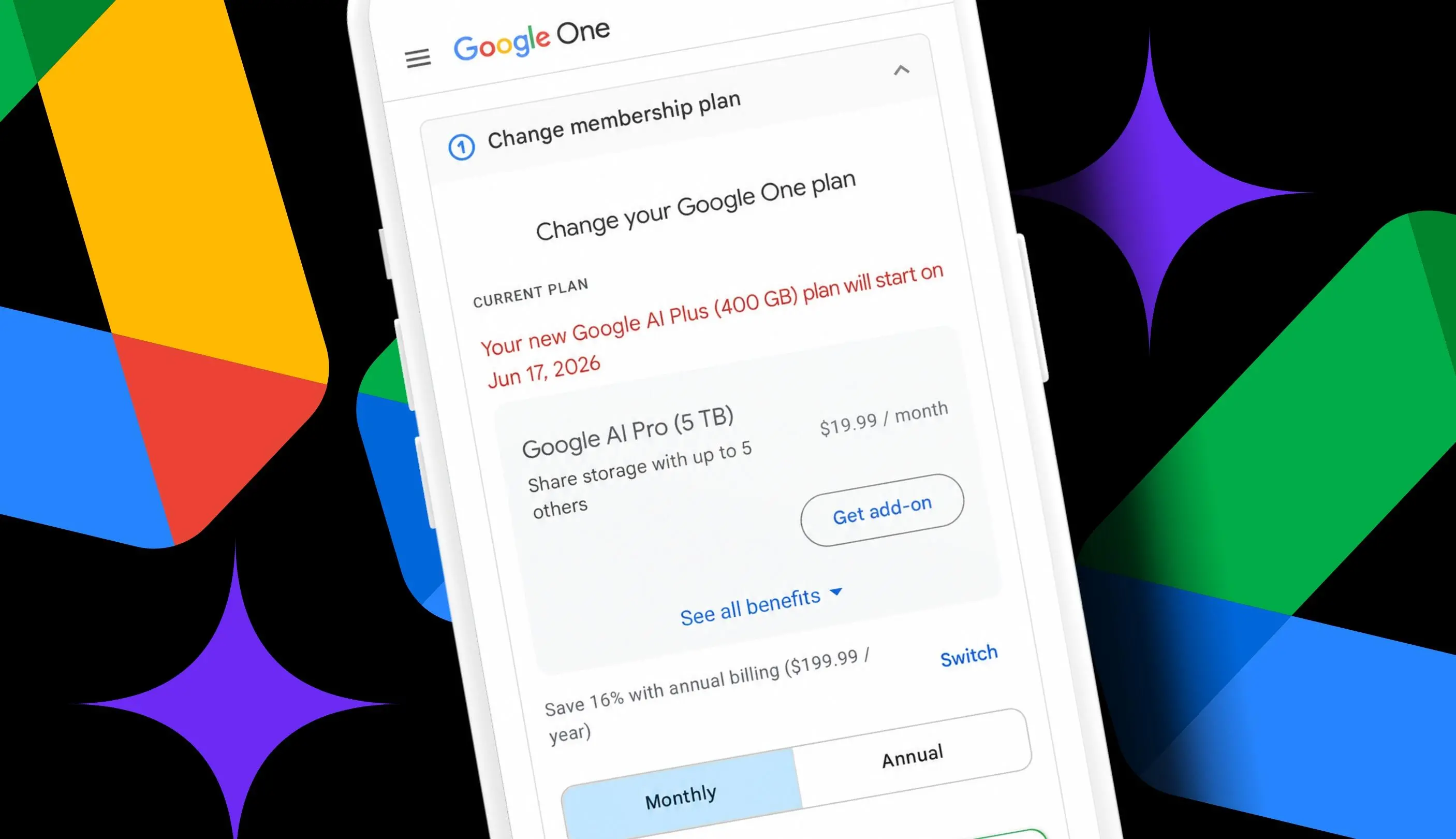
Key facts at a glance
- Google AI Plus now includes 400GB of storage for $4.99 a month.
- Downgrading from Google AI Pro at $19.99 a month to Google AI Plus at $4.99 a month can save $180 a year.
- A 2TB Google AI Plus option costs $9.99 a month and can save $120 a year compared with AI Pro.
- Google One and Google AI plans can be managed from the web or the mobile app.
- Before switching, check how much storage you use across Drive, Gmail, and Photos.
- AI Pro includes 5TB of storage and higher Gemini usage limits, including access to Gemini 3 Pro.
- AI Plus keeps 400GB of shared storage across up to five family accounts, plus access to NotebookLM and Google Flow.
- Downgrading may remove YouTube Premium Lite Individual, Google Home Premium, Google Health Premium, and higher Gemini limits.
For anyone who has spent years uploading files, saving photos, and sending Gmail attachments, Google storage has become a quiet but persistent subscription. The free 15GB tier disappears faster than expected. Documents, spreadsheets, slide decks, photo backups, and random downloads can add up to hundreds of gigabytes. At that point, the choice is simple: pay for more space or start deleting. The problem is that Google now bundles storage with AI features, and the higher tiers can cost far more than the storage alone is worth for some users.
That is exactly the situation one long-time Google Workspace user faced. After 14 years of using Docs, Sheets, Slides, Photos, and Drive, the account held about 340GB of data. That is well beyond the free 15GB allowance. The existing plan was Google AI Pro, which costs $19.99 a month and provides 5TB of storage along with access to Gemini 3 Pro and other benefits. The storage was useful, but the AI features were barely used. The goal was not to lose files or stop backing up photos. The goal was to cut the monthly bill without running out of space.
Then Google changed the math. Google AI Plus was updated to include 400GB of storage for $4.99 a month. Earlier, AI Plus cost $7.99 a month and included only 200GB, which was not enough for many long-time users. Doubling the storage while lowering the price made the plan far more attractive. For an account using around 340GB, a 400GB plan leaves about 60GB of headroom. That is not unlimited, but it is enough for Gmail attachments, occasional Drive uploads, and ongoing Photos backups for a while. The switch from AI Pro to AI Plus would save $15 a month, or $180 a year.
Why Google AI Plus became a real option
Google One plans have become more complicated as the company has mixed storage with AI subscriptions. There are now multiple tiers that include Gemini at different levels, and the names can be confusing. Some people call them Google AI plans because several options include Gemini features. Others still think of them as Google One plans because storage is the original core benefit. The important point is that storage and AI access are now tied together in the same subscription.
Google currently offers seven options, according to the plan picker. They range from a Basic plan with 100GB of storage and no AI to Google AI Ultra with 20TB and Gemini Pro. In the middle, there are several AI Plus choices. The $4.99 AI Plus plan includes 400GB. A $9.99 AI Plus plan includes 2TB and the same benefits. The $19.99 AI Pro plan includes 5TB and higher Gemini limits. The top-tier AI Ultra plan includes 20TB and the most advanced Gemini access. For a user whose main need is storage, the cheaper AI Plus tiers can be enough.
The 2TB option is especially interesting for anyone who is close to the 400GB limit or expects their storage to grow. At $9.99 a month, it costs $10 less than AI Pro. That works out to $120 in annual savings. For a household that shares storage across family accounts, 2TB may be a better long-term fit than 400GB. But for someone using 340GB, the 400GB plan is the cheapest way to keep everything online without deleting old files.
What you lose when you downgrade
Lowering a subscription always involves trade-offs. Moving from Google AI Pro to Google AI Plus means giving up some features. The biggest loss is the higher Gemini usage limits and access to Gemini 3 Pro. If you rely on Gemini for heavy daily work, advanced reasoning, or longer conversations, the cheaper plan may feel restrictive. AI Plus still includes Gemini access, but at lower limits. For someone who only opens Gemini occasionally, that difference may not matter.
The downgrade can also remove bundled extras. AI Pro includes YouTube Premium Lite Individual, Google Home Premium, and Google Health Premium. These services can be valuable, but only if they are actually used. In the original case, those benefits were not part of the daily routine. Paying for them month after month made little sense. AI Plus keeps other useful tools, including NotebookLM and Google Flow. It also keeps the 400GB of storage shared across Drive, Gmail, and Photos for up to five family accounts.
Before switching, it is worth reading every benefit detail carefully. Google hides some options behind a See more plans button, especially when you are trying to downgrade. Expanding all the plan details shows exactly what will be lost. That step is important because the billing change may be permanent for the current cycle, and some benefits may end immediately or at renewal depending on the plan terms.
How to check your current Google storage
The first step is to confirm how much space you actually use. Go to the Google One dashboard in a browser or open the Google One app on a phone. Make sure the Google account tied to the paid storage plan is signed in. On the web, the current plan appears at the top, followed by a breakdown of how much space is used across Drive, Gmail, and Photos. In the mobile app, storage usage appears at the top of the Home screen, while the current plan appears at the bottom.
In the example that inspired this guide, the account was using 6 percent of the 5TB provided by AI Pro. That sounds small, but 6 percent of 5TB is about 300GB. With a 400GB AI Plus plan, that leaves roughly 60GB to spare. The exact number matters because Google storage is shared across services. A large Gmail mailbox can consume several gigabytes. Photo and video backups can grow quickly. Drive files, shared folders, and trash all count. Checking the breakdown helps you see which service is using the most space and whether a cleanup could buy more time.
How to manage and change your Google One plan
After checking usage, go to Google One membership settings. On the web, look for the current plan area where the subscription is displayed, then click the Manage button. In the Google One app, look for the option to manage the membership toward the bottom of the Home screen. This section shows the current plan, benefit details, and other plans that are available.
Next, change the plan. While managing a Google One plan, you may need to click or tap See more plans to view the AI Plus options. In some cases, the cheaper plans are hidden by default, especially when the system expects you to upgrade rather than downgrade. Expand the benefit details and read through each plan carefully. Compare storage amounts, AI limits, bundled services, and family sharing. When you are ready, click or tap the button on the plan to downgrade, upgrade, or subscribe.
Google typically applies plan changes according to its billing terms. That means you should review the confirmation screen before finalizing. It may show when the new plan takes effect, how the remaining balance is handled, and what happens to current benefits. If you are unsure, take a screenshot of the plan details and the confirmation page. That gives you a record in case the storage amount or benefits do not change as expected.
The savings math and storage risk
The math is straightforward. Google AI Pro costs $19.99 a month. Google AI Plus with 400GB costs $4.99 a month. The difference is $15 a month. Over 12 months, that is $180 saved. The 2TB AI Plus plan costs $9.99 a month. The difference from AI Pro is $10 a month, or $120 a year. Both options reduce the subscription bill while keeping a paid Google storage plan active.
The main risk is running out of space. If the account goes over quota, Google says you might lose the ability to upload files to Drive, back up photos and videos, create new Google Workspace documents, and use Gmail normally. That is a serious consequence for anyone who depends on Google services every day. A 400GB plan with 340GB used has about 60GB of breathing room. That may last a few months or a few years, depending on how many photos, videos, and attachments are added. A user who regularly uploads large video files or receives many Gmail attachments should consider the 2TB plan instead.
Another consideration is family sharing. The 400GB AI Plus plan can be shared across up to five family accounts. That means the storage is not just for one person. If several family members use the same Google One group, 400GB can fill up faster. The 2TB AI Plus plan may be the safer choice for a family, and it still saves $120 a year compared with AI Pro. For a single user with moderate storage needs, 400GB is often enough.
Who should consider this switch
This switch makes sense for people who pay for Google AI Pro mainly for storage and rarely use the most advanced Gemini features. If you do not need Gemini 3 Pro, higher AI usage limits, YouTube Premium Lite Individual, Google Home Premium, or Google Health Premium, paying $19.99 a month is hard to justify. AI Plus at $4.99 a month covers the essentials: 400GB of shared storage, Gemini access at a lower tier, NotebookLM, and Google Flow.
It also makes sense for long-time Google users who have accumulated hundreds of gigabytes but do not want to spend hours deleting files. Moving to a cheaper plan is faster than cleaning up 14 years of digital clutter. A cleanup can still help, but it is not required to lower the bill. For users who are already close to 400GB, the $9.99 2TB AI Plus plan is a middle ground. It cuts $120 a year while providing much more room to grow.
On the other hand, heavy Gemini users, families with large photo and video libraries, and anyone who actively uses the bundled premium services may be better off staying on AI Pro. The key is to compare the value of the AI and extra benefits against the storage need. If the AI features are unused, they are not a benefit. They are just part of the cost.
Practical checks before downgrading
Before confirming the change, review your storage breakdown one more time. Check Gmail, Drive, and Photos separately. Empty the trash in Drive and Photos if you want a small buffer. Look at shared folders and family accounts to see who else is using the storage. Then compare the 400GB AI Plus plan with the 2TB AI Plus plan. If your usage is under 350GB and growth is slow, 400GB is the cheapest option. If your usage is above 350GB, shared with family, or growing quickly, the 2TB plan is safer.
Also confirm the current price and benefits on the plan screen. Google has changed AI Plus pricing and storage before. The plan launched at $7.99 a month with 200GB and later became $4.99 a month with 400GB. Prices and features can change again. What matters is the plan available to your account at the moment you switch. Read the confirmation details, check the effective date, and verify the new storage amount after the change appears in your account. For a user who needs storage more than advanced AI, the move from AI Pro to AI Plus can cut $180 a year while keeping the files, photos, and emails in place. For those who need more room, the 2TB AI Plus tier still trims $120 a year from the bill.
Source:ZDNET News