

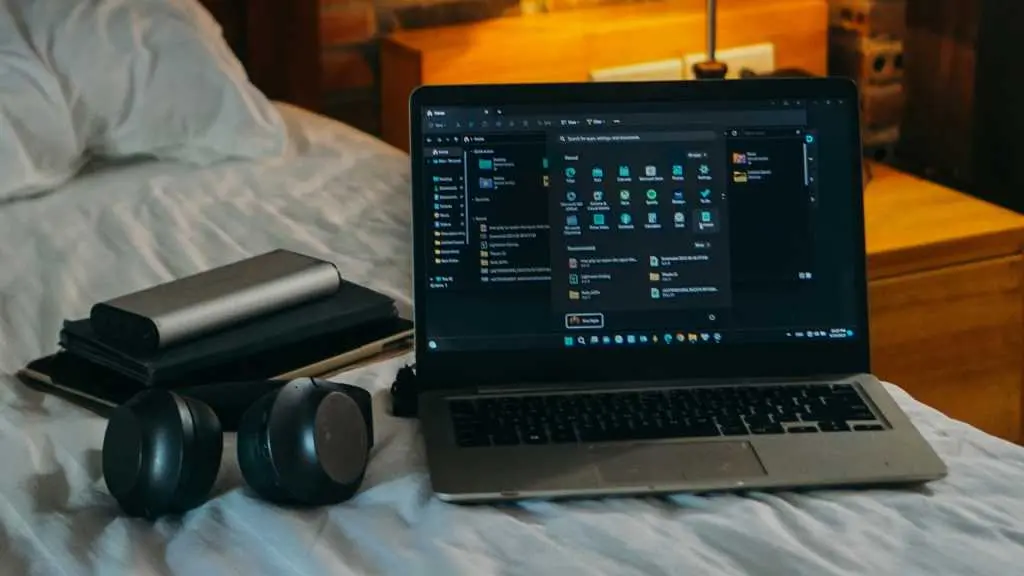
When heading off to college, most students prioritize a new laptop or Chromebook. But there are many other gadgets that can make campus life significantly easier and more productive. These items often seem optional—luxuries rather than necessities—but the right gear can help you stay organized, reduce stress, and protect your health during long study sessions. Here are the key gadgets that every college student should consider, along with the facts about why they matter.
Adjustable laptop stand
An adjustable laptop stand serves two critical purposes: it frees up desk space and improves ergonomics. By raising your laptop screen to eye level, you prevent hunching and bad posture, which is especially important during long homework sessions. It also makes a dual-screen setup with a separate monitor less awkward. Prices range from $20 to $50 for portable options that fold flat for travel. Key fact: many models are lightweight and can be tossed in a backpack, making them ideal for students who move between library, dorm, and coffee shops.
Bluetooth keyboard
A Bluetooth keyboard eliminates cable clutter on a cramped desk. Multi-device support allows you to switch between a laptop, tablet, and phone with a single keystroke. For portability, a compact model like the Logitech MX Keys Mini weighs under a pound and offers a comfortable typing experience. If you spend most of your time at a desk, a mechanical keyboard provides better tactile feedback for typing and gaming. Key fact: wireless keyboards with backlighting can boost productivity in dimly lit rooms.
Noise-canceling headphones
Noise-canceling headphones are invaluable for drowning out distractions in dorms, libraries, or busy study areas. Over-ear models like the Bose QuietComfort Ultra and Sony WH-1000XM5 offer 20 to 30 hours of battery life, making them ideal for all-day use. Even budget options like Anker Soundcore Q20i provide comparable runtime and good sound quality. For portability, noise-canceling earbuds such as the Bose QuietComfort Ultra Earbuds or Apple AirPods Pro fit easily in a pocket. Key fact: active noise cancellation reduces ambient noise by up to 90%, allowing focus on coursework or relaxation.
Portable monitor
A portable monitor adds extra screen real estate for your laptop, enabling you to juggle multiple tabs and applications more efficiently. Modern models are thin, lightweight, and connect via USB-C with a single cable. Prices have dropped dramatically—some popular 15.6-inch models cost as little as $70. Pairing it with a laptop stand and wireless keyboard creates a powerful mobile workstation. Key fact: portable monitors can also be used with tablets or gaming consoles, adding versatility beyond study use.
Tablet
A tablet acts as a second screen, digital notepad, or e-reader. It complements a desktop or laptop perfectly. The Apple iPad and Samsung Galaxy Tab S series are top choices for multitasking, while color E-Ink tablets like the Onyx Boox reduce eye strain for reading. Many students use tablets for note-taking with a stylus, which can improve organization and searchability of class notes. Key fact: tablets with stylus support can replace notebooks entirely, saving money on paper and reducing clutter.
Computer speakers
Built-in laptop speakers often lack volume and clarity. Desktop speakers with a separate power source and audio jack eliminate latency and distortion. Budget-friendly options like the Creative Pebble V2 cost around $20 and have a tiny footprint. For music lovers, higher-end models with subwoofers can transform a dorm room into a mini entertainment center. Key fact: good speakers reduce listening fatigue during long study sessions or media consumption.
Bluetooth tracker
Losing keys, a laptop bag, or backpack is a common frustration on campus. Bluetooth trackers like Apple AirTag or Ugreen Finder Duo attach to your gear and allow you to locate them via your smartphone. Some models have replaceable batteries that last up to a year. For students prone to misplacing items, a pack of four trackers covers the essentials. Key fact: trackers use a crowdsourced network of nearby devices to provide precise location, even when the item is out of Bluetooth range.
External hard drive
Cloud storage is convenient, but local backups are more reliable during internet outages or accidental deletions. External hard drives, especially SSDs, offer fast read/write speeds and durability. A 2TB drive can store years of documents, projects, and media. They’re also useful for transferring large files between campus computers. Key fact: external drives with hardware encryption protect sensitive data if lost or stolen.
Power bank
College life often involves long gaps between power outlets. A high-capacity power bank with fast charging can juice up a phone and laptop. The Anker A1383 offers 20,000mAh, 65W output, and three ports, including a built-in USB-C cable. This eliminates the need for separate cables and ensures you never run out of battery during classes or study sessions. Key fact: power banks that support Power Delivery (PD) can charge compatible laptops at full speed.
Printer
Despite the digital age, printing is still necessary for assignments, forms, and posters. Campus computer rooms may have limited hours or per-page fees. A compact inkjet printer like the Canon Pixma MG3620 takes little space and prints color documents. Refillable tank printers reduce long-term costs. Key fact: wireless printers allow you to print from your phone or laptop without a direct USB connection.
HDMI switcher
For students with multiple devices connected to a single monitor or TV, an HDMI switcher solves the problem of limited ports. It also auto-switches between active inputs, eliminating the need to fumble with remote controls. A 3-port switcher is usually sufficient for a console, laptop, and streaming device. Key fact: HDMI switchers support 4K resolution, so they work with modern displays and gaming consoles.
Ergonomic mouse and keyboard
Repetitive stress injuries from prolonged computer use are common among students. Ergonomic peripherals, such as a vertical mouse or split keyboard, keep wrists and hands in a natural position. Budget options start at $30. Taking breaks and alternating peripherals can further reduce risk. Key fact: ergonomic peripherals can prevent carpal tunnel syndrome and other conditions that affect academic performance.
Phone stand
A phone stand declutters your desk by providing a dedicated spot for your device. It also allows you to view notifications at a glance or use the phone as a secondary screen for apps like Spotify or a timer. Some stands double as wireless chargers, keeping your phone powered. Key fact: folding aluminum stands are durable and portable, fitting into a backpack pocket.
E-reader for ebooks
Physical textbooks are heavy and take up space. An e-reader like the Kindle Paperwhite or Kobo Clara stores hundreds of books and uses an E-Ink display that reduces eye strain. Many libraries offer free ebook rentals through services like Libby. For students who love reading but want to save weight and space, an e-reader is a smart investment. Key fact: E-Ink screens are readable in direct sunlight and have weeks of battery life.
These gadgets cover a range of needs—from ergonomics and productivity to entertainment and convenience. Investing in even a few of them can dramatically improve your daily college experience. By prioritizing items that solve common problems like clutter, noise, and power shortages, you can focus more on learning and less on hassles.
Source:PCWorld News