

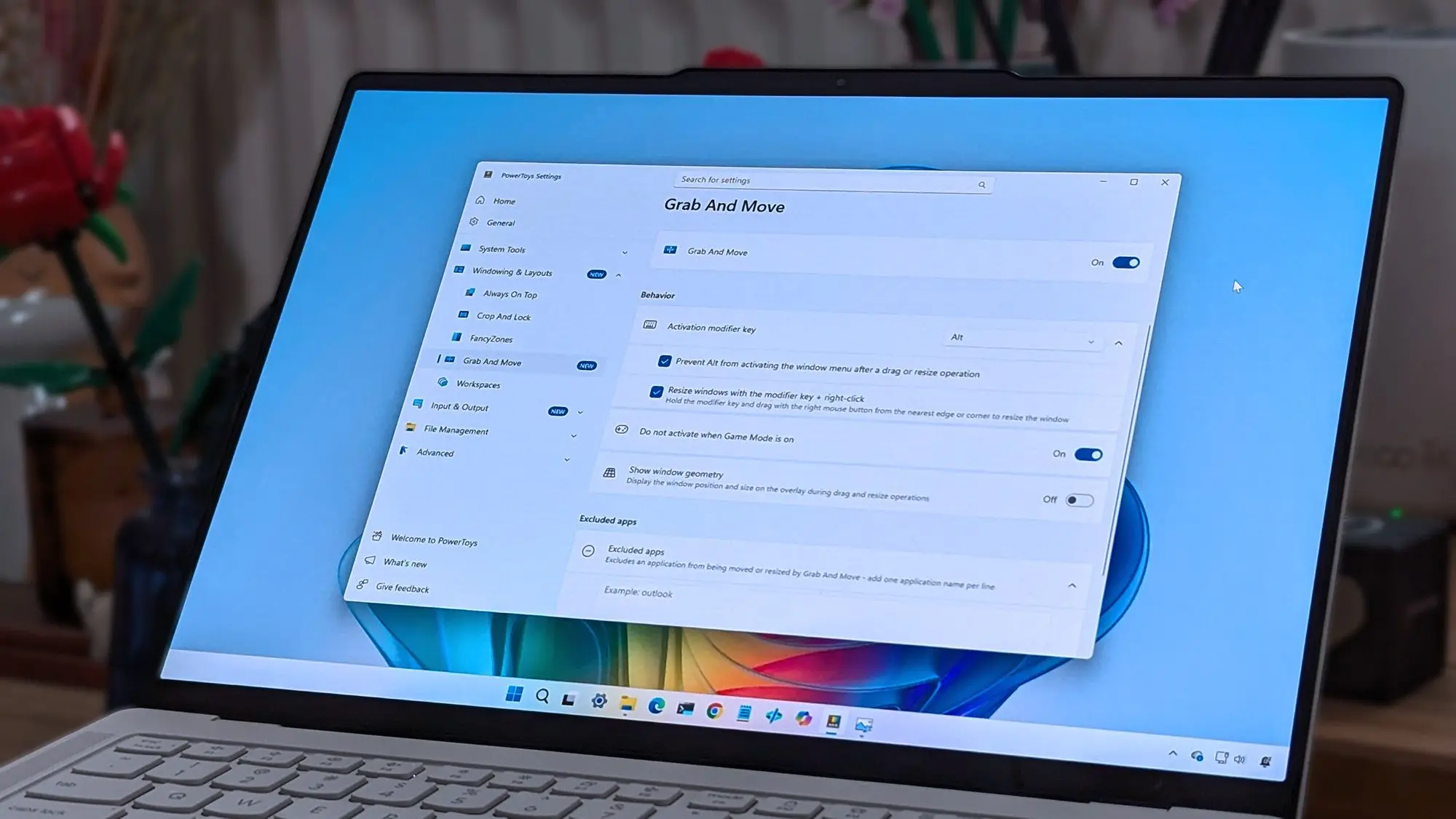
Microsoft's suite of system utilities, PowerToys, has received a substantial update that addresses a range of bugs that had been frustrating users. The new release, version 0.84.0, squashes several issues that were breaking core functionalities, from window management to file previews. This update is a testament to Microsoft's ongoing commitment to refining the PowerToys experience, which has become an essential tool for power users and developers alike.
Overview of the Bug Fixes
The most prominent fixes in this update target FancyZones, one of PowerToys' most popular features. FancyZones allows users to create custom window layouts, but a bug was causing it to crash when switching between monitor configurations. Users reported that after connecting or disconnecting an external display, FancyZones would become unresponsive, forcing a restart of the utility. Microsoft has now patched this, ensuring seamless transitions between different monitor setups.
Another significant fix involves the Peek utility, which lets users quickly preview file contents without opening them. A bug was preventing Peek from rendering certain image formats, particularly large PNG files. This update resolves the rendering issue and improves performance when previewing high-resolution images. Additionally, the Color Picker tool, which is used to identify colors on the screen, had a bug where it would not correctly capture colors from applications running in administrative mode. This has been corrected, making the Color Picker more reliable in various scenarios.
Other Resolved Issues
Beyond these major fixes, the update addresses several smaller but annoying bugs. The Keyboard Manager utility had a problem where certain key remappings would not persist after a system restart. This has been fixed, ensuring that custom key bindings remain active across sessions. The PowerRename tool, which allows batch file renaming using regular expressions, previously exhibited a memory leak when processing large numbers of files. The memory usage has been optimized, reducing the risk of crashes during extensive rename operations.
The update also improves the stability of the PowerToys Run launcher. Some users experienced crashes when searching for files on network drives. The new version includes better error handling for network paths, making searches more reliable. Furthermore, the Video Conference Mute utility, which provides global microphone and camera toggles, had a compatibility issue with the latest versions of Zoom and Microsoft Teams. This has been resolved, ensuring seamless integration with popular video conferencing apps.
Background on PowerToys
PowerToys is a set of free, open-source utilities for Windows 10 and 11, developed by Microsoft in collaboration with the community. Originally launched in 2019 as a revival of classic Windows PowerToys from the Windows 95 era, the project has grown to include over a dozen tools. These utilities are designed to enhance productivity and streamline workflows for advanced users. The project is hosted on GitHub under the Microsoft organization, and it actively accepts contributions from the community.
The development of PowerToys follows a rapid release cycle, with updates typically shipping every one to two months. Each update includes bug fixes, performance improvements, and occasionally new features. The version 0.84.0, discussed here, is part of this regular cadence. Microsoft maintains a public roadmap and bug tracker, allowing users to report issues and vote on future enhancements. This community-driven approach has made PowerToys one of the most popular open-source projects on GitHub, with over 100,000 stars.
Impact on User Experience
The bug fixes in this update significantly improve the daily experience for PowerToys users. For professionals who rely on FancyZones to organize their workspaces, the monitor configuration crash fix is a game-changer. It eliminates a major source of frustration when docking or undocking laptops. Similarly, the Peek fix benefits graphic designers and developers who frequently preview images and documents. The Color Picker update is particularly valuable for web designers and UI developers who need to sample colors from protected system windows.
Microsoft has also focused on improving reliability under heavy usage. The memory leak fix in PowerRename ensures that batch renaming large numbers of files no longer degrades system performance. This is crucial for users managing large media libraries or codebases. The Keyboard Manager fix addresses a common complaint that custom shortcuts would reset after updates or restarts, providing a consistent experience.
Detailed Analysis of the Fixes
Let's dive deeper into the technical aspects of the bugs that were fixed. The FancyZones crash issue stemmed from a race condition in the window layout detection code. When a monitor change event occurred, the utility's internal state machine could enter an inconsistent state, leading to a null pointer dereference. Microsoft resolved this by adding proper synchronization and validation checks before accessing the monitor data. This fix not only prevents crashes but also makes the tool more responsive during display changes.
The Peek rendering problem was traced to a change in the Windows Imaging Component (WIC) API that affected how large PNGs with high bit depths are decoded. The PowerToys team updated their image handling library to explicitly request the correct format converter, ensuring compatibility with the latest Windows updates. They also added logging to help diagnose similar issues in the future.
The Color Picker bug was more subtle. Applications running with administrator privileges use a separate desktop session for their UI elements. The Color Picker was not configured to access this elevated desktop, causing it to return incorrect color values or fail entirely. The fix involved adding a secure desktop capture mode that works with elevated applications, using Windows' built-in accessibility APIs. This required careful handling to avoid security vulnerabilities.
The PowerRename memory leak was caused by improper cleanup of regular expression match objects in a loop. Each iteration of the rename process was allocating memory that was not freed until the tool was closed. The fix added explicit garbage collection and object reuse, reducing memory usage by up to 40% when renaming thousands of files. This improvement also speeds up the rename operation itself.
Community Involvement
Many of these fixes were inspired by user feedback and bug reports submitted on GitHub. The PowerToys team actively monitors the issue tracker and prioritizes fixes based on community upvotes and severity. For example, the FancyZones crash had over 50 duplicate reports, making it one of the most requested fixes. The team worked closely with early adopters to test the patch before release, using a beta channel for validation.
This collaborative approach extends to code contributions. Some of the bug fixes in this update were contributed by external developers. The Peek image fix, for instance, was initially proposed by a community member who provided both a detailed analysis and a code snippet. The PowerToys team refined the solution and integrated it into the main codebase. This demonstrates how open-source development can accelerate problem-solving.
Future Directions
Looking ahead, the PowerToys team has hinted at several upcoming features. Among them is a new utility called 'Mouse Without Borders' that will allow users to control multiple computers with a single mouse and keyboard. Another planned addition is a 'Screen Ruler' tool for measuring elements on the screen. However, the immediate focus remains on stability and performance. The team is also working on improving support for Windows 11's Snap Layouts, ensuring better integration with FancyZones.
The version 0.84.0 update also includes under-the-hood changes that will facilitate faster development in the future. The codebase has been refactored to reduce dependencies and improve build times. A new CI/CD pipeline has been implemented to automate testing and deployment, reducing the risk of regressions. These infrastructure improvements will help the team deliver more reliable updates with shorter release cycles.
The bug fixes in this update are a clear signal that Microsoft is committed to making PowerToys a robust and reliable toolset. By addressing community-reported issues and providing transparent communication about the fixes, the company has strengthened trust with its user base. As PowerToys continues to evolve, it is likely to become even more indispensable for Windows power users.
Source:Windows Central News